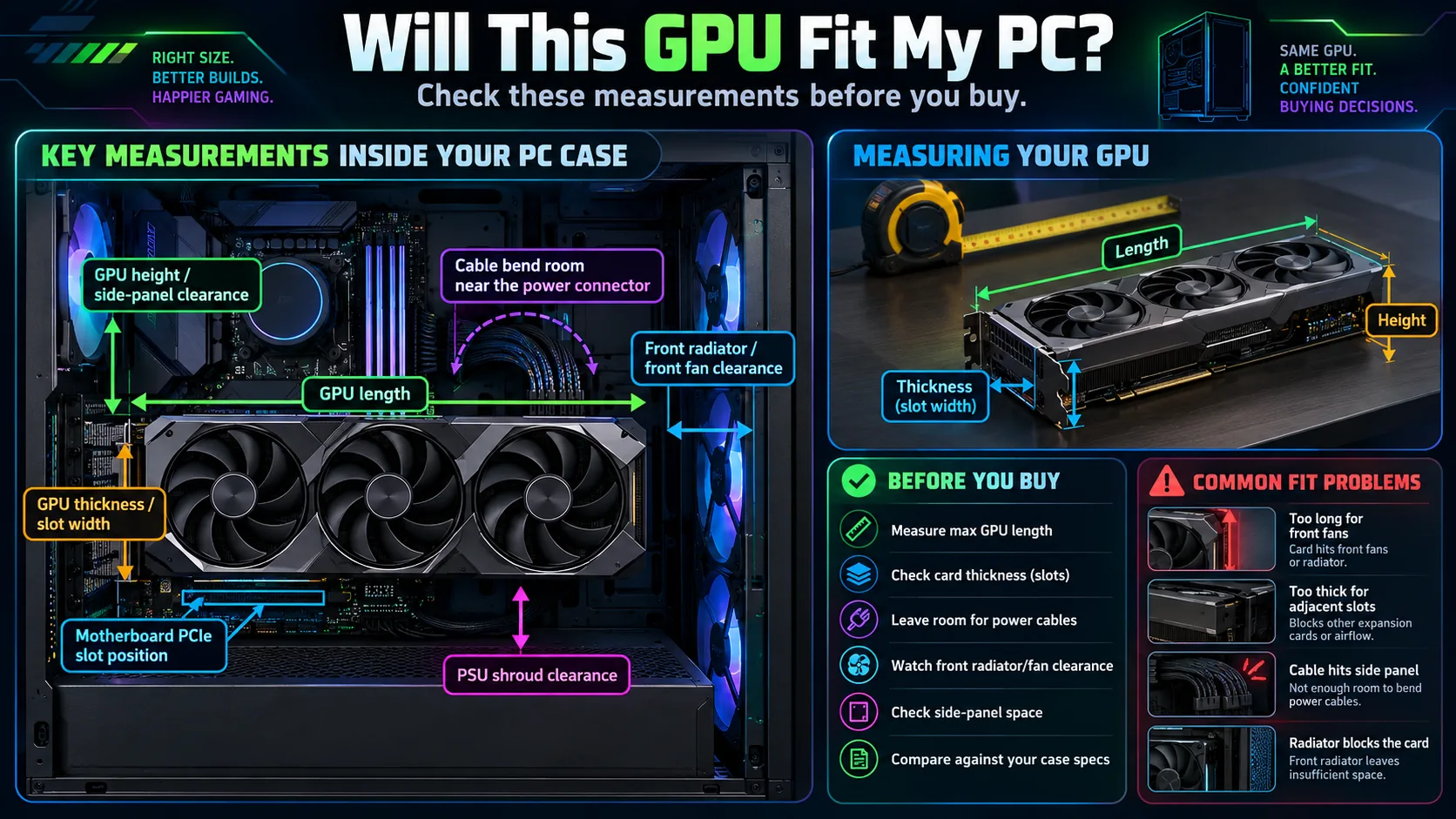
1. Case length is not the same as free length
Your case manufacturer may quote maximum GPU length without a front radiator installed, or with a specific fan setup. Measure from the rear PCIe bracket to the nearest front obstruction in the configuration you actually use. Leave some assembly tolerance rather than aiming for a zero-millimeter fit.
2. Check the slot thickness and nearby cards
A “three-slot” card can block a neighboring expansion slot even though it inserts into one PCIe x16 slot. Confirm how many physical slots the cooler occupies and whether Wi-Fi cards, capture cards, bottom fans or a PSU shroud will obstruct it. Vertical GPU mounting adds a separate clearance issue.
3. Card height and the power connector matter
Card manufacturers often list height excluding or including different elements, so verify the measurement drawing. The power lead may protrude farther toward the side panel than the cooler itself. For high-power 12V-2x6 / 12VHPWR connectors, follow the PSU and GPU maker's insertion and bend-clearance guidance; never force the side panel against a cable.
4. Front radiators and fans steal room
If your case has a front radiator, include the radiator and fan thickness in the clearance calculation unless your case manufacturer already accounts for them. Some cases support a much longer graphics card without those components installed.
5. The other half is power compatibility
A graphics card that physically fits can still be incompatible with your PSU or its available cabling. Always confirm the exact board partner's recommended power supply, native connector support and the cable instructions. Visit the GPU power connector guide for a separate checklist.
After checking the fit, should you buy it?
Take your current card, monitor, games and budget to our independent GPU verdict tool. It can tell you when keeping what you already own is the better decision.