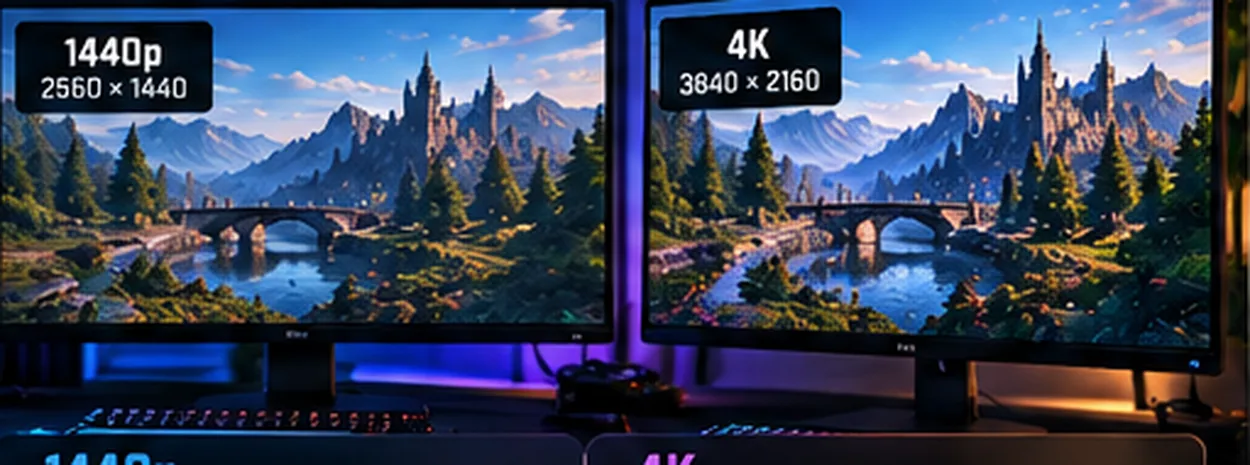
The same game, different pixel workloads
Resolution describes how many pixels your GPU must render for a native image. More pixels can show additional fine detail on an appropriate display, but generally require more rendering work. The FPS cost depends on the game, settings, GPU and upscaling method.
Often easier to drive at high frame rates. Good for budget builds and smaller screens.
A useful middle ground for image detail and frame-rate goals, especially around 27-inch monitors.
Sharper potential on suitable displays, but native 4K can substantially raise GPU demands.
The bars compare pixel counts, not measured FPS. Equal pixel-count ratios do not mean equal frame-rate ratios. Visual sharpness also depends on display size, viewing distance and scaling.
What changes when you go up in resolution?
- GPU workload: Pixel shading and render-target demands often grow, though not in a perfect 1:1 proportion with pixels.
- VRAM pressure: Resolution may increase memory use, but texture quality and game-specific assets can be just as important.
- CPU bottlenecks: At low resolution and very high refresh rates, CPU limits may become more visible.
- Upscaling: DLSS, FSR or XeSS can render fewer pixels internally, changing performance and picture-quality tradeoffs.
Choose based on games and refresh rate, not bragging rights
Competitive esports players often prioritize latency and high frame rates. Players who favor expansive, slower-paced adventures may prefer greater image detail at a lower refresh target. Neither choice is automatically correct.
Start with your real monitor: Pick your resolution and refresh rate in the free GPU verdict tool. A recommended graphics card should serve that display and your actual games.
Other buying checks
How much VRAM do I need? · PSU and power cable guide · What GPU do I need?